
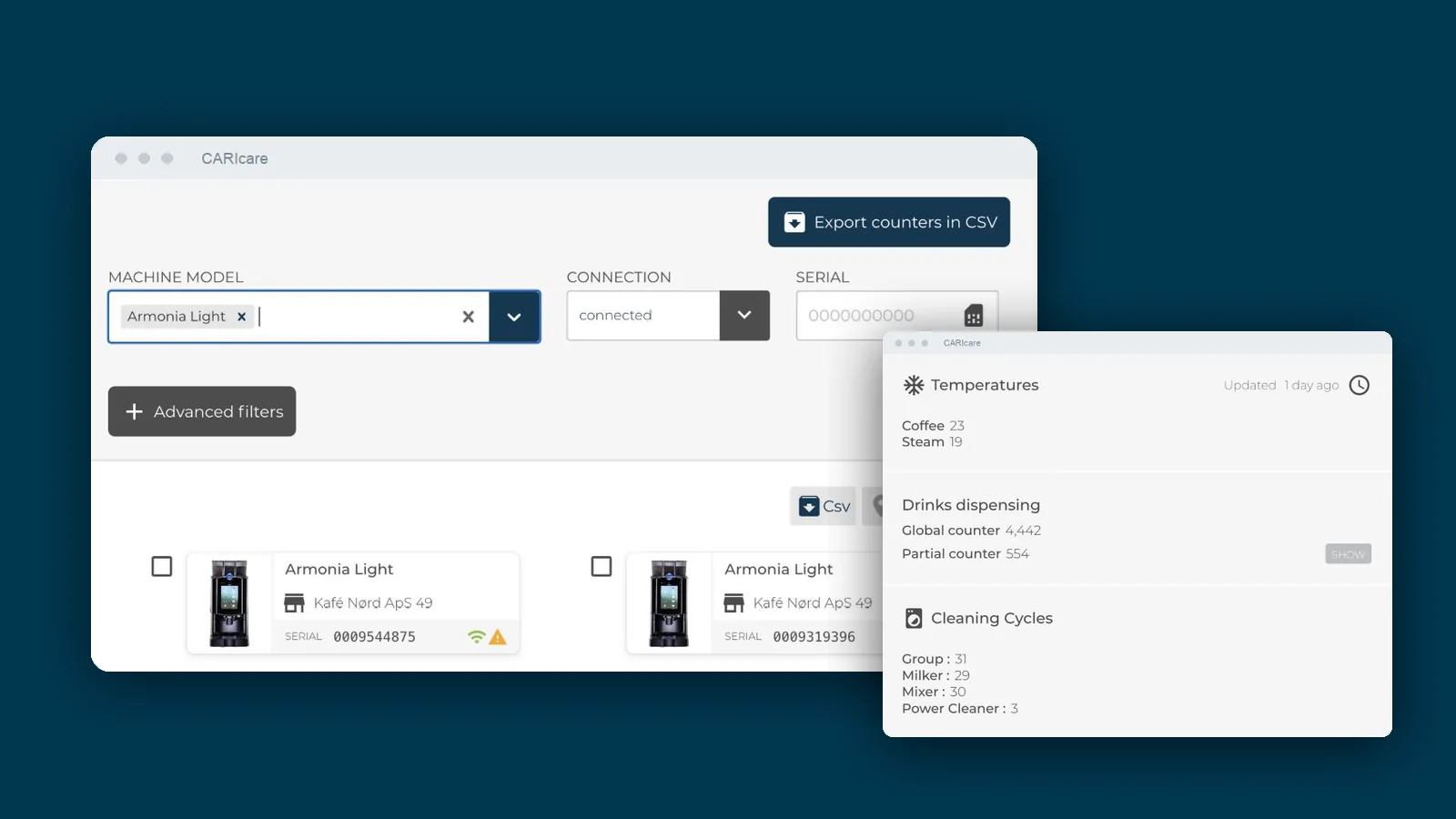
CARIcare is Carimali's cloud platform for connected fully automatic coffee machines. A machine fitted with a Wi-Fi board and a CARIcare licence sends its status, its alarms and a record of every drink it makes to a web portal. From that portal, operators, technicians and site managers watch the whole fleet, change recipes, send firmware updates and plan maintenance without travelling to the machine.
Carimali launched CARIcare in 2017 for the operators, roasters and distributors who run fleets of fully automatic machines across many sites. For them a machine that stops serving costs money twice: in lost drinks, and in a technician's trip that often starts without knowing what is wrong.
What a connected fleet gives you
- You see the problem before the technician leaves. Online status, alarms and temperatures for each machine are in the portal, so the technician knows what to bring.
- Every cup is accounted for. Each drink is logged with the product, the time and the price, so you see consumption and takings per machine and per site.
- You make changes without a visit. Recipes, drink names, the machine's language and its firmware update remotely.
- You plan maintenance instead of reacting to breakdowns. The portal tracks maintenance cycles and cleaning for each machine and flags components that reach the end of their cycle.
Who uses it
CARIcare gives each person the view their job needs. Each user sees only the machines assigned to them.
| Access level | Typically | What they can do |
|---|---|---|
| Administrator | The operator's or distributor's head office | Sees all the machines of its customers, creates users and assigns technicians |
| Service | Technicians | See their assigned machines, alarms and history; change recipes and settings remotely |
| Site manager | The manager of a café, hotel or office site | Sees the site's machines, consumption and status; manages the site's users |
| User | Staff on site | Check the status and drink history of the machines at their site |
The portal is available in eight languages.
Monitoring: the fleet and each machine
The fleet view lists every machine as cards, as a table or on a map. You filter by model, by connection status or by serial number, and you see at a glance which machines are online and which have an active alarm. The list exports to CSV.
Open one machine and you see:
- whether it is online, and when it last reported;
- coffee and steam temperatures;
- drink counters, total and partial;
- cleaning cycles for the brewing unit, the milk frother and the mixer.
Every drink, recorded
For each drink the machine makes, CARIcare stores the drink, the date and time, the price, the dispensing time and the temperatures. The portal turns that into charts by day and by hour of the day, which you filter by recipe, and every single drink exports to CSV.
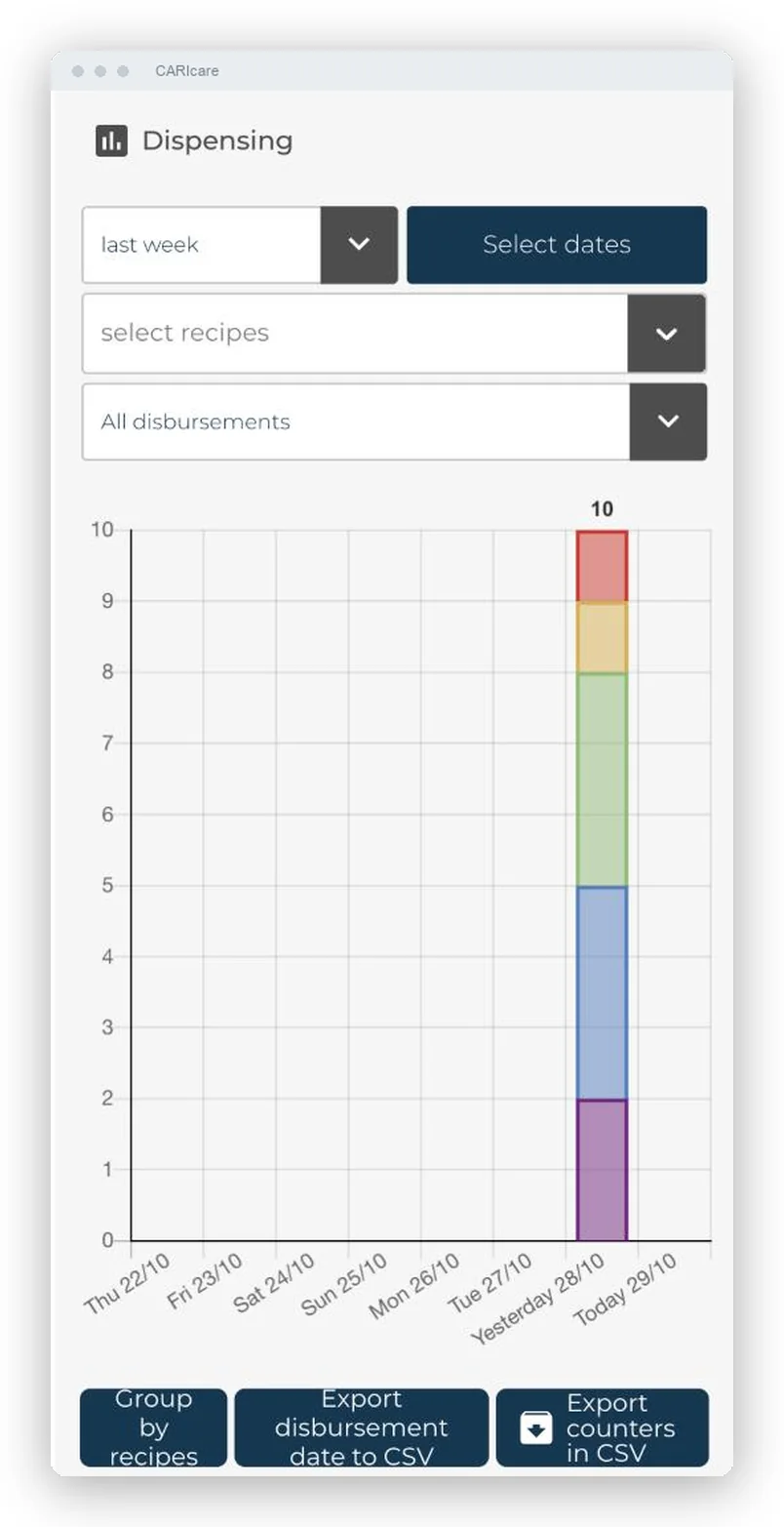
A real CARIcare portal screen; names and serial numbers are replaced with fictitious data.
If a machine loses its connection, it keeps serving. When it comes back online, it sends the drinks it made while offline, so the record has no gaps.
For an operator this is the basis for checking takings against consumption, spotting a site where demand peaks at an hour the staffing does not cover, or seeing which recipes nobody orders.
Remote changes
From the portal a technician or administrator can:
- edit recipes (doses, times and volumes) and send them to the machine;
- send the same recipe change to up to 10 machines of the same model in one go;
- rename drinks and change the machine's display language, with 28 languages available on the machine;
- restart the machine and switch it on or off;
- update firmware: CARIcare checks every day for new firmware versions and sends them to the machine remotely.
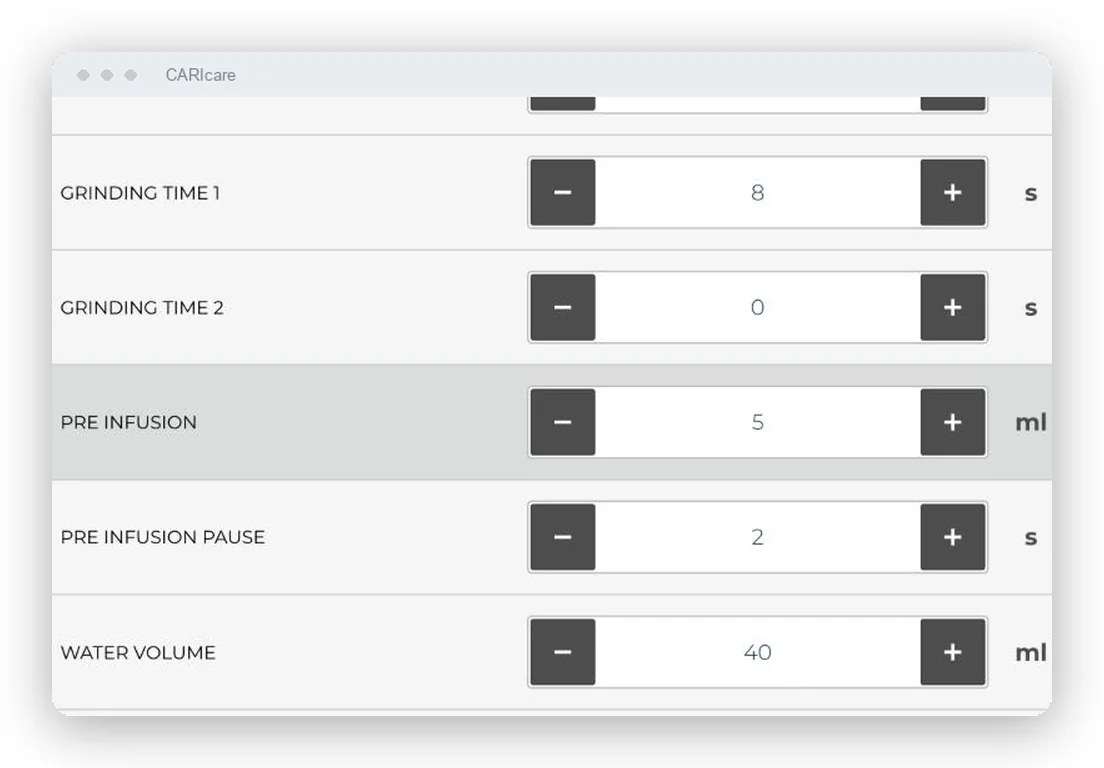
A menu change across a group of sites becomes an office task instead of a round of visits.
Maintenance and alarms
- Quarterly, annual and extraordinary maintenance, with the cycle count of each component.
- Cleaning history for each machine.
- Alarms sorted by type (error, warning, refill, disconnection), with a full history and CSV export.
- Notifications inside the portal.
- A low-coffee threshold you set per machine, so the site gets restocked before it runs out.
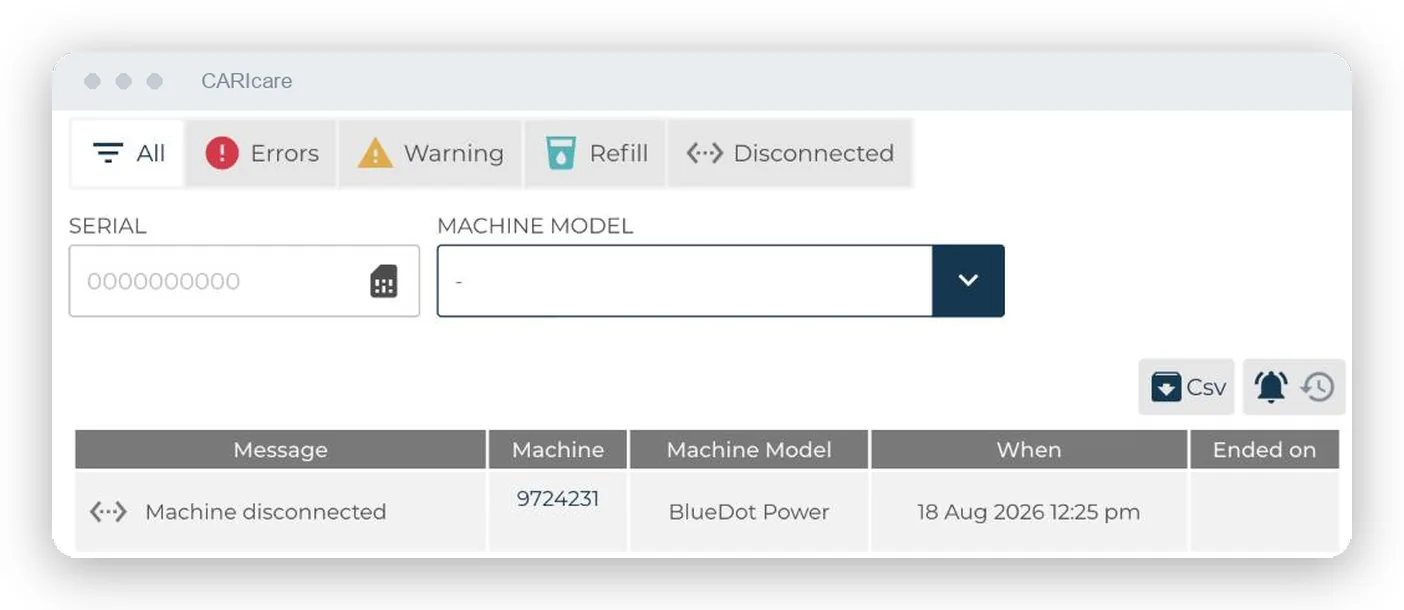
Which machines it supports
| Function | Armonia Ultra | BlueDot and BlueDot Plus |
|---|---|---|
| Online status, alarms, temperatures | ‚úì | ‚úì |
| Every drink recorded, CSV export | ‚úì | ‚úì |
| Remote recipes, also on several machines at once | ‚úì | ‚úì |
| Drink names and machine language | ‚úì | ‚úì |
| Remote firmware updates | ‚úì | ‚úì |
| Restart, power on and off | ‚úì | ‚úì |
| Maintenance and cleaning history | ‚úì | ‚úì |
| Low-coffee threshold | ‚úì | ‚úì |
| Remote counter reset | ‚úì | |
| Hardware configuration view | ‚úì |
BlueDot and BlueDot Plus have the same functions on CARIcare. CARIcare also connects other Carimali fully automatic lines and Elektra's Evok; ask us about a specific model.
Armonia U, Carimali's new fully automatic flagship, comes with a Wi-Fi board and Ethernet as standard on every configuration, and connects to CARIcare from launch, including remote software updates. It uses a new communication protocol.
How a machine connects
- New machines: Carimali fits the Wi-Fi board at the factory, at no fitting cost.
- Machines already installed: a technician fits the board on site.
- Configuration: the site's Wi-Fi network is set from the machine's own menu.
- Activation: once the licence is active, the machine appears in the portal.
What the site needs: a Wi-Fi network with outbound internet access. Your IT team can ask us for the list of ports and protocols the machine uses.
Architecture and security, for IT teams
- Machines communicate with the CARIcare broker over MQTT, and each machine has its own separate permissions.
- The platform runs on Amazon Web Services in the Frankfurt region, inside the European Union.
- CARIcare stores every message a machine sends as an event, so the history is complete and can be reconstructed.
- Users get access by role, and see only the machines assigned to them.
- Firmware comes from Carimali's own update server.
Connecting CARIcare to your own systems
CARIcare has a REST API over HTTPS, with a token for each user. Your systems can read:
- the machine register and each machine's status;
- every drink served, with product, time, price and temperatures;
- alarms;
- cleaning cycles;
- recipes.
Your systems request the data from the API; CARIcare does not push it to external systems. We enable API access on request and scope it per project, alongside or instead of portal access.
The licence
Each machine needs one CARIcare licence, paid once and valid for the life of the machine. The licence covers access to the portal. The internet connection at the site stays the site's own. Your Carimali partner can quote the licence and the Wi-Fi board for your machines.
Frequently asked questions
Does a machine stop recording if the Wi-Fi drops? No. It keeps serving and keeps its records, and sends the drinks made while offline as soon as it reconnects.
Can I change a recipe on many machines at once? Yes, on up to 10 machines of the same model in one operation.
Where is the data hosted? On Amazon Web Services in Frankfurt, in the European Union.
Can a site manager see other sites? No. Every user sees only the machines assigned to them.
Can CARIcare feed our ERP or business-intelligence tools? Yes, through the REST API, which we enable per project.
Can I fit CARIcare to a machine I already own? On supported models, yes: a technician fits the Wi-Fi board on site and you activate a licence.
See it on a real fleet
To see CARIcare on your own machines, ask your Carimali partner or contact us for a demonstration.